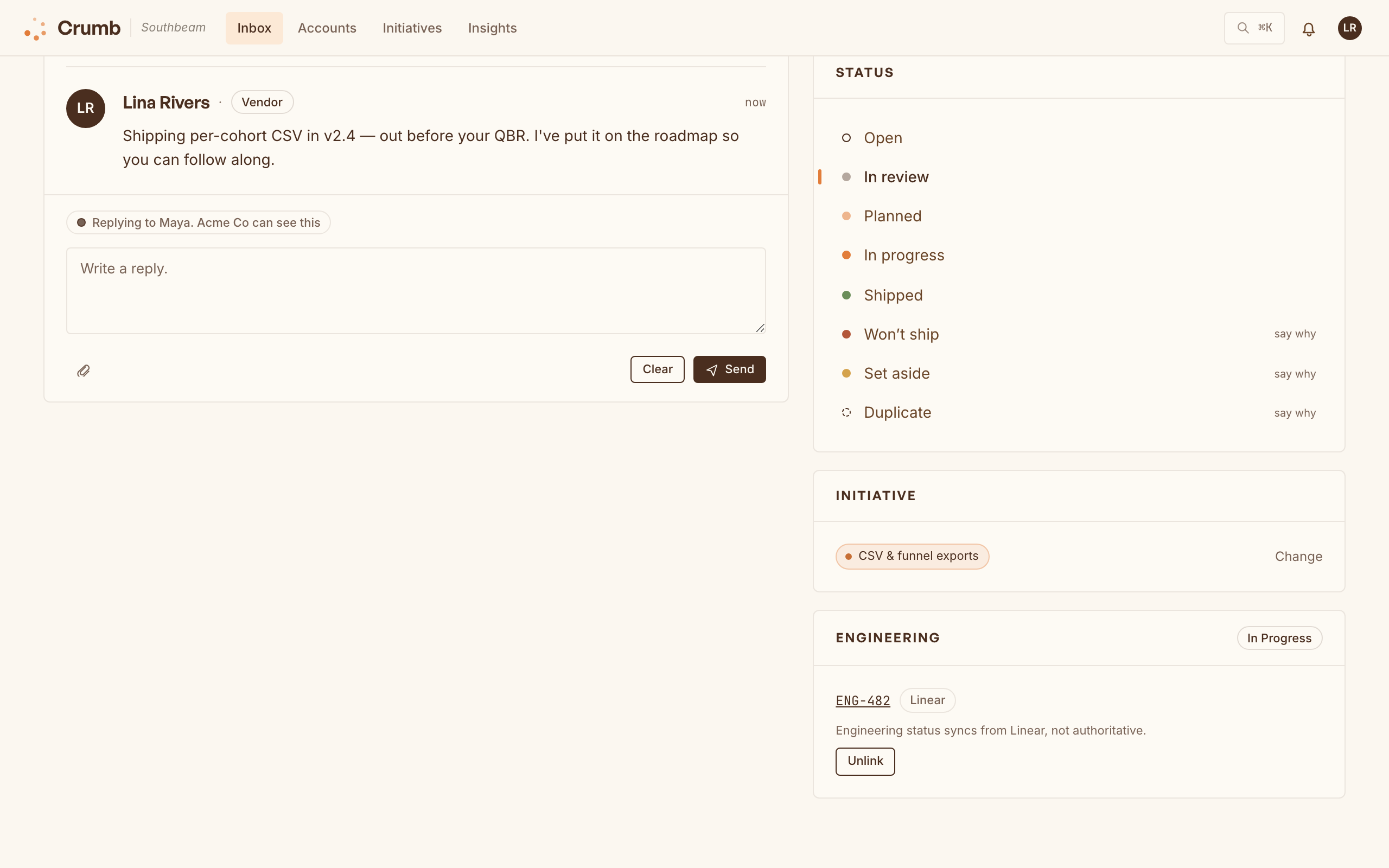
This is the part most tools quietly skip. Reply in the thread or move an item through your status flow, and the customer hears back the moment it changes, by email or right in the widget. Those emails go out on every Cloud plan, Free included; self-hosted, they go out through your own SMTP relay.
- Reply in-thread and it reaches them where they left it.
- Flip an initiative public so every account can follow along.
- Status hits Shipped and the loop closes itself.
Emails go to customers who wrote in through the widget, or whom you logged by hand (Compose in the inbox, or /crumb in Slack). Feedback pulled in from forwarded email or a connector isn't emailed automatically, since that customer never opted in; follow up where it came from.
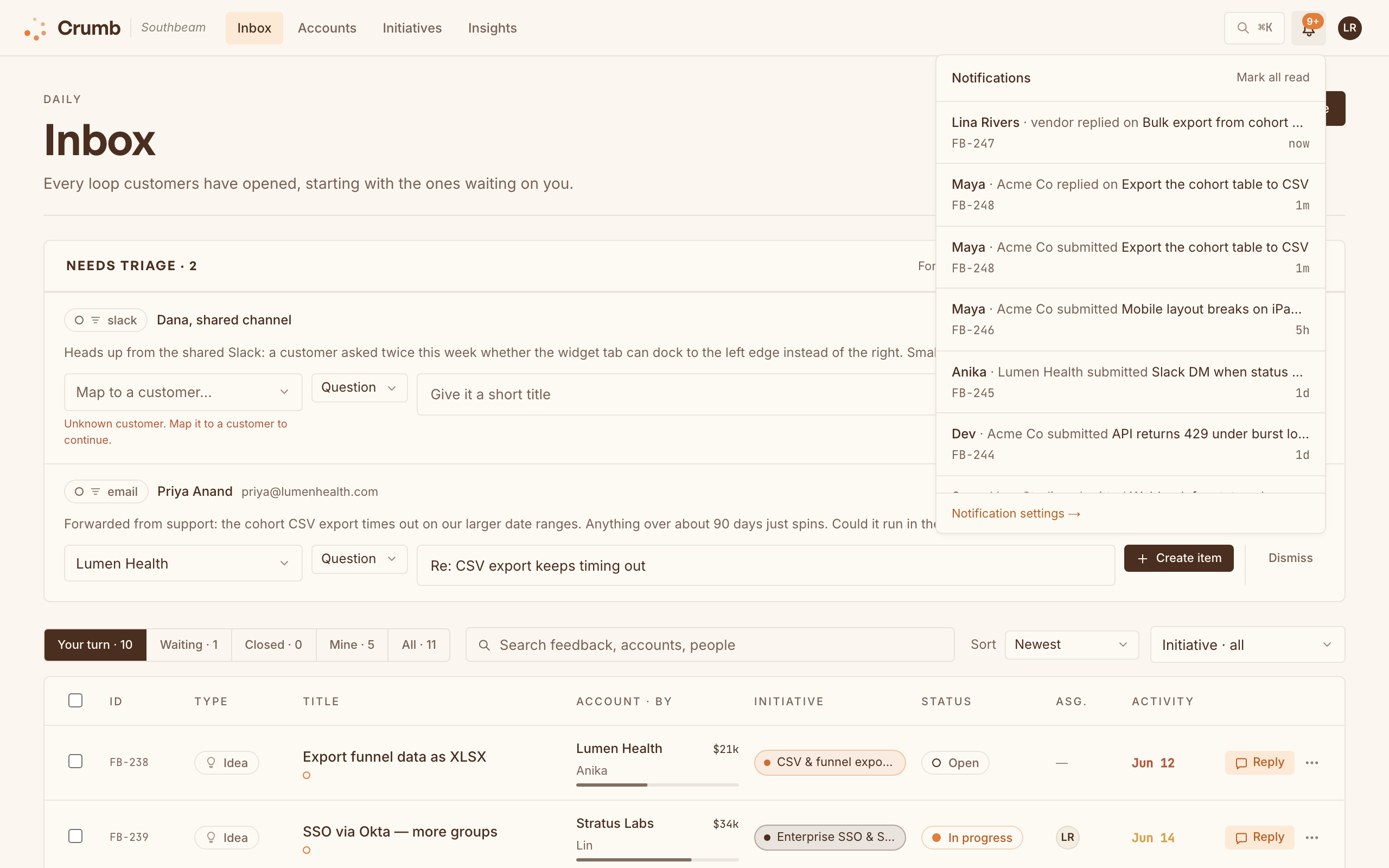
Want a teammate pinged when a customer replies? Connect Slack and each person picks email or a Slack DM for their notifications, or point a Microsoft Teams channel at Crumb for a shared feed.

Public roadmap
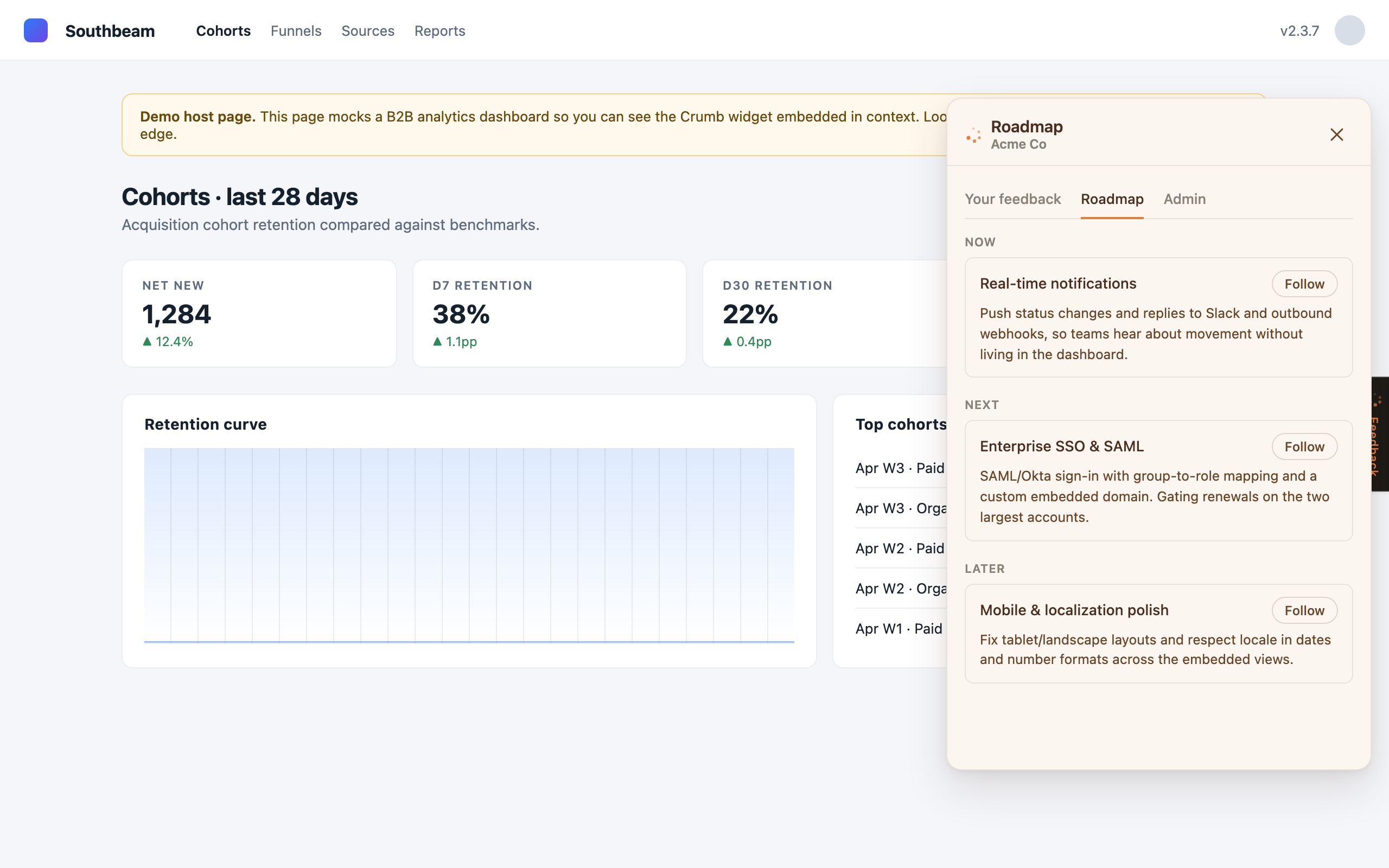
Group related feedback into initiatives, then flip the ones you want into a public Now / Next / Later board. Customers follow what they care about and get a note when it moves, which cuts down on "is this on the list?" tickets.
Push to your tracker
When something is ready to build, send it out as a ticket in Linear, Jira, or GitHub from the thread sidebar (on Cloud, that's the Team plan and up). Engineering status reads back into Crumb, one way, so the tracker stays the source of truth for "is it done" while Crumb owns the customer relationship.
On Team and up, the draft is written for you from the feedback, your recent ticket titles, and (for GitHub) your repo's README and file tree. It's usually most of the way there.